
Can a new seller turn a short broadcast into steady sales? Yes, but success takes more than pressing “go.” TikTok introduced Live Shopping in 2021. Today, its in-app commerce feature allows brands to show products in real time, answer questions, demonstrate features, and accept purchases without sending viewers elsewhere.
The opportunity is large. TikTok has more than 1.5 billion users, and worldwide live commerce purchases rose 76% between March 2020 and July 2021. In the United States, TikTok Shop hosted more than 8 million hours of live shopping in 2024. The same data shows that 76% of livestream viewers made a purchase.
However, unfamiliar sellers may struggle with Shop setup, product tags, moderation, checkout flows, and broadcast production. This guide focuses on product choice, dependable equipment, audience engagement, event promotion, and profit analysis after each session.
Key Takeaways
- Real-time product demos can shorten the path to purchase.
- A clear setup improves trust and viewing quality.
- Questions and replies help build stronger engagement.
- Event promotion brings more viewers to each session.
- Post-session data reveals what drives profit.
TikTok Live Shopping Tips for a Stronger Sales Strategy
Your sales journey begins before a viewer taps the first product. Discovery starts with a short video, creator recommendation, or scheduled event. Once users join the stream, clear demonstrations and trusted answers can move them from interest to purchase.
How the In-App Journey Works for Brands and Creators
A product pin appears during the broadcast. Viewers tap it, review details, add the item to a cart, and complete checkout without leaving the platform. After the livestream ends, they can reopen the cart, compare featured products, and buy at their own pace.
Why Real-Time Commerce Earns Attention
Live shopping combines proof, conversation, and urgency. A useful demo, instant reply, and limited offer build confidence. Conversion rates may reach ten times those of other e-commerce formats. TikTok users are nearly twice as likely to buy products they see there, while 58.2% say content inspires unexpected purchases.
China expected 60% of online shoppers to buy through livestreams in 2024. The U.S. market was projected at $35 billion. Walmart’s 2021 event earned seven times its expected views and grew followers by 25%. Still, strong margins require careful offers and measurement.
| Journey stage | Brand action | Customer outcome |
|---|---|---|
| Discovery | Share useful video content | Audience enters the event |
| Evaluation | Demonstrate and answer questions | Trust increases |
| Checkout | Pin products and clarify offers | Purchase happens in-app |
Check TikTok Live Shopping Eligibility and Shop Requirements
Before you plan a broadcast, confirm that your account and products meet current U.S. rules. Requirements can vary by account, product type, and location, so check official resources in the app.
Age, Follower, Account, and Community Guideline Requirements
Creators generally need to be at least 16 years old to use TikTok Live and often need 1,000 followers. Your account must also remain in good standing. Follow community guidelines, community standards, and community safety rules. Avoid false claims, unsafe demonstrations, and restricted products. Policy violations can limit features or remove selling access.
TikTok Shop Setup, Product Approval, and U.S. Seller Considerations
Shopify and TikTok help brands build a TikTok Shop. Seller Center supports catalog setup, product approval, inventory, shipping, returns, tax details, and order fulfillment. Still, identity checks and product compliance can delay unfamiliar sellers. Review community rules, seller policies, and community expectations before applying. Requirements may change, so verify your account status.
Need help with setup? Get professional support when policy issues or technical errors slow your launch.
| Check | What to confirm | Common risk |
|---|---|---|
| Eligibility | Age, followers, and account standing | Feature access delays |
| Catalog | Approved products and accurate details | Rejected listings |
| Operations | Shipping, tax, returns, and verification | Fulfillment problems |
Prepare Your Products, Offers, and Livestream Goals
A focused offer gives your TikTok live shopping session a clear purpose. Start with items that solve a real need, then match each offer to your audience, budget, and brand promise.
Choose Hero Products, Add-Ons, and Entry-Level Items
Lead with one hero product that is easy to show and explain. Add margin-friendly accessories, then include lower-priced items for first-time customers. TikTok supports many product types, from keychains and stuffed animals to makeup tools and phone cases.
Create Bundles, Exclusive Discounts, and Limited-Time Offers
Build bundles around a complete solution, such as a skincare routine or kitchen starter set. Before you promote it, calculate COGS, packaging, shipping, platform fees, creator commissions, discounts, and expected returns. A live-only offer should have a clear end time and limited quantity. This creates urgency without weakening your brand through permanent markdowns.
Set Sales, Engagement, Audience, and Profit Targets
Set goals for orders, gross sales, average order value, new customers, engagement, sell-through, contribution margin, and net profit. Forty percent of surveyed Gen Z and millennial users purchased during a livestream, while Gen Z represents 60% of TikTok users. Use those figures to guide content, not to assume reach equals profit. If you lack time, a specialist can manage the details while you focus on customers.
Set Up Your TikTok Live Shopping Equipment and Stream
Good production turns a simple phone session into a polished sales event. For inexperienced sellers, equipment, store integration, and stream controls can feel difficult. Professional support can prevent delays and wasted broadcasts.
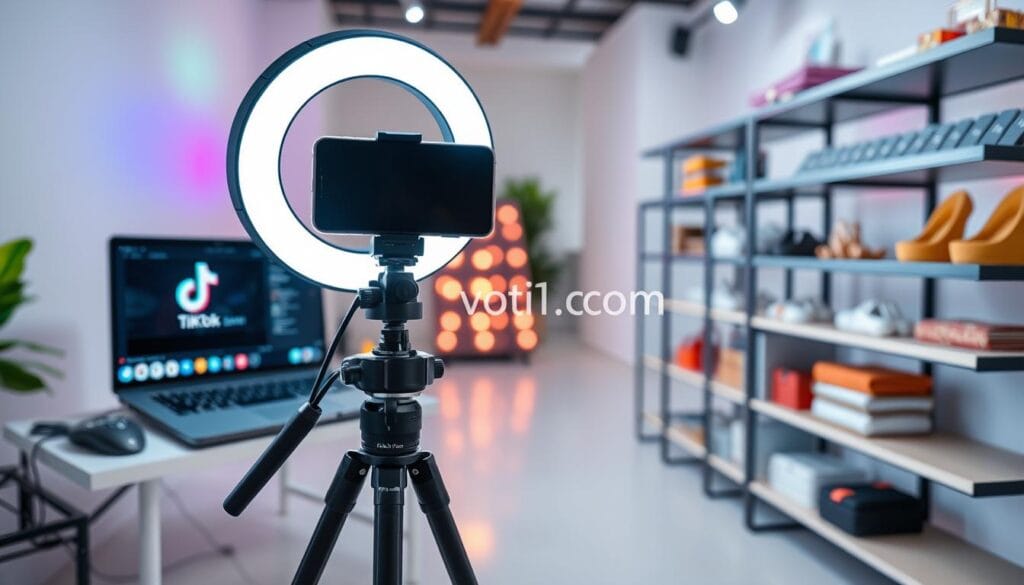
Camera, Lighting, Audio, Internet, and Product Display Essentials
Place your camera on a stable stand at eye level. Use soft front lighting, a clear microphone, and a clean background. Keep each product facing the camera, with packaging, size references, and key details visible on screen.
Test your internet before launch, then prepare a backup connection. A dropped signal can interrupt demonstrations, product pins, and purchases. Check charging cables, inventory, audio levels, and the checkout screen.
How to Create an Engaging TikTok Live From the App
Open the app, tap the plus icon, and select LIVE from the camera screen. Add a title of up to 32 characters, choose a cover image, set controls, and tap Go Live. You can flip the camera, add effects, use a green screen, and display products. Keep visual effects subtle so the item remains the focus.
Reliable preparation lets you focus on customers instead of fixing technology.
Production tools and troubleshooting help can save time.
| Check | Best practice | Purpose |
|---|---|---|
| Camera and screen | Stable position and clear product view | Improves trust |
| Internet | Primary and backup connection | Protects the stream |
| App settings | Title, cover, pins, and checkout test | Reduces launch errors |
Schedule and Promote Your TikTok Live Shopping Event
A well-timed event helps your offer reach people when they are ready to watch. Use data instead of guesswork to choose a useful schedule and build interest before your stream begins.
Use Activity Data to Choose the Best Time
Check TikTok analytics for follower activity by hour, if available. Add audience polls, past order data, and category patterns to your review. Test one time slot for three or four weeks while keeping the host, offer, format, and products steady.
Schedule the event in the app at least two hours ahead. Keep the name within 32 characters and the description within 200. Approval may take seconds or up to one hour, so allow extra time.
Build Anticipation Before the Broadcast
Post a short teaser video, add the event link to related content, and place it on your profile. Email subscribers and send reminders that explain the live-only value. Coordinate the creator, moderators, inventory team, and support staff before customers arrive.
Clear planning turns attention into stronger sales.
| Task | Timing | Owner |
|---|---|---|
| Schedule event | Two hours or more ahead | Brand lead |
| Review approval | Seconds to one hour | Moderator |
| Confirm stock | Before promotion | Inventory team |
Host a TikTok Live That Keeps Viewers Watching
Win attention before you explain your brand story. Start with a specific promise, such as “See three ways to use this cleaner in 30 seconds.” Then show viewers how to tap a product pin and state the event offer. A clear opening helps your audience understand the experience at once.
Open With a Clear Hook and Explain the Shopping Experience
Keep your first minutes active. Introduce the creator, show the featured item, and invite questions. Tell viewers when the discount ends. You can also share a quick comparison or unboxing to build trust.
Use Product Demonstrations, Tutorials, and Behind-the-Scenes Content
Rotate tutorials, transformations, use cases, and packing footage. This content proves quality better than a sales pitch alone. Too Faced drew 72,500 unique tune-ins and 68,400 engagements with its first livestream shopping episode.
Maintain Momentum With Transitions, Stories, and Calls to Action
Use this rhythm: demo, question, proof, offer reminder, pin, and next topic. Plan at least 30 minutes; a one-hour session works when inventory and energy support it. Review our store launch guide for additional preparation.
- Repeat key benefits for new viewers.
- Thank users who comment or buy.
- End each segment with one clear action.
Use TikTok Live Features to Increase Engagement and Trust
Interactive tools can make your TikTok live shopping event feel more personal and secure. They help you answer concerns, guide attention, and protect the audience from harmful behavior. Test each feature before your livestream, since setup can be complex for new sellers.
Manage Comments With Moderators and Keyword Filters
Assign trained moderators to organize comments, remove harassment, and flag repeated objections. TikTok’s keyword filter supports up to 200 terms. This control helps your creator focus on useful questions while the stream stays welcoming.
Invite Co-Hosts, Guests, and Influencer Partners
A qualified partner can add expertise or reach a new audience. Co-hosts must follow each other and appear live at the same time. Guests generally need at least 1,000 followers. A makeup expert, for example, can demonstrate a product with added credibility.
Activate Q&A, Polls, Effects, Gifts, and Product Pins
Q&A places viewer questions in a separate panel. Combine polls, challenges, green screen effects, virtual gifts, and product pins with useful content. Avoid distractions that weaken trust.
- Review settings in the app.
- Test pins and moderation tools.
- Ask for expert setup support when needed.
Turn Viewer Questions and Comments Into More Sales
Questions reveal what may stop a customer from buying. During TikTok Live, use the Q&A panel to separate questions from fast-moving comments. This helps you spot concerns about price, fit, delivery, or product quality.

Answer Product, Shipping, Sizing, and Usage Questions in Real Time
Group questions by topic before you respond. Cover specifications, shipping, delivery dates, sizing, compatibility, care, returns, and promotion rules. A second operator can track comments while the creator keeps the presentation moving.
Keep answers direct and honest. If products are delayed, unavailable, or unsuitable, say so. Clear information builds trust with customers and can reduce returns. It also gives viewers a safer path to purchase.
Demonstrate Solutions to Common Purchase Objections
Turn repeated questions into proof. Test for leakage, compare sizes beside a familiar object, or show texture close to the screen. In live shopping, useful demonstrations help the audience judge value without pressure or unsupported claims.
Helpful answers can turn uncertainty into confidence.
Forty percent of surveyed Gen Z and millennial users purchased during a social media livestream. Strong engagement begins when you treat every question as a chance to help.
| Concern | Useful response | Trust benefit |
|---|---|---|
| Fit or scale | Show measurements beside a common object | Fewer sizing doubts |
| Product use | Demonstrate a typical task | Clearer expectations |
| Delivery | State timing and limits | More confident customers |
Improve Product Discovery and the TikTok Shop Checkout Path
A smooth path from discovery to payment can remove doubt and protect your sales. During TikTok Live Shopping, guide viewers from the featured product to the cart, then explain each checkout step in plain language.
Pin the Right Product at the Right Moment
Pin the hero item while you demonstrate it. Pin a bundle when you explain its value. Show add-ons only after you explain their purpose. Viewers can tap a pin and add the product to their cart. After the livestream, they can open the cart and review featured products.
Make Comparison and Checkout Simple
Compare two or three products by price, size, materials, use, shipping, and best customer fit. Avoid a crowded catalog. On the platform, tell users where to tap, how to return to the featured list, and how to complete payment in the app.
Clear choices create a calmer purchase experience.
Before your TikTok Live event, test titles, images, variants, stock, prices, shipping rules, codes, and mobile checkout. A replay from Live TikTok can also support later discovery.
| Stage | Action | Customer benefit |
|---|---|---|
| Discovery | Pin the relevant product | Faster product access |
| Comparison | Explain key differences | More confident selection |
| Checkout | Test cart and payment | Fewer purchase errors |
Measure TikTok Live Shopping Performance and Profitability
Strong sales numbers do not always mean strong profit. Review each session with a clear scorecard. In 2024, TikTok Shop hosted more than 8 million U.S. hours of live shopping, and 76% of cited viewers purchased. Use these figures as market context, not as a promise for your brand.
Read Audience Activity and Conversion Signals
Track total and unique viewers, peak reach, watch time, retention, comments, shares, product clicks, carts, orders, conversion rate, and follower growth. Compare each session by product, creator, offer, time slot, and audience group.
Calculate Revenue After Every Selling Cost
Start with GMV and average order value. Then subtract COGS, packaging, shipping subsidies, discounts, platform fees, refunds, returns, service costs, samples, and labor.
GMV shows demand; net contribution shows whether the event works.
Measure Promotion and Partner Costs
Assign creator commissions, host fees, affiliate payouts, boosted promotion, and Live Shopping Ads to the correct session. Ads use Product Sales as the objective and TikTok Shop as the source. TikTok recommends an audience aged 18 or older.
- Compare margin, not only revenue.
- Record costs by product and creator.
- Review results before repeating the event.
For easier reporting, explore creator content tools.
Get Expert Help Creating Your Live Shopping Site
Technical work can slow your launch, especially when you are new to selling through TikTok. An experienced team can manage the details while you focus on your customers and product experience.
When TikTok Live Shopping Setup Feels Difficult or Technical
Approval may take a few seconds or up to one hour. Scheduled events also need at least two hours of advance notice. Support can help with catalog approval, product feeds, pins, checkout, analytics, and stream troubleshooting.
Save Time With Professional Store, Product, and Sales-Funnel Support
Professional help connects your TikTok Shop, Shopify workflow, product pages, creator tasks, promotional video, and sales reports. It also coordinates inventory, offers, moderators, customer service, and post-event review.
Correct setup reduces broken links, rejected products, missed approvals, checkout friction, and unprofitable sessions. Live Shopping Ads require a connected TikTok Shop and advertising account.
“The right system gives your team more time to serve customers.”
| Support area | Business value | Result |
|---|---|---|
| Store and catalog | Accurate listings and feeds | Fewer approval issues |
| Creator workflow | Clear roles and timing | Smoother event delivery |
| Sales funnel | Connected checkout and reports | Better conversion insight |
Conclusion
Successful TikTok Live selling follows a clear path: check eligibility, choose a profitable product, test your equipment, promote the event, and host with confidence. Strong interaction, simple checkout, and careful reporting complete the process.
More than 1.5 billion TikTok users offer major reach, but reach alone does not ensure sales. Your offer, margin, creator payouts, returns, and customer experience shape each purchase. The cited 76% U.S. figure shows opportunity, not a promise.
Test one creator, offer, product mix, and time slot at a time. Then use analytics to find which change improves conversion and net contribution. This steady way helps you build a smarter shop.
When setup or daily management feels too time-consuming, expert support can help. Build your next commerce event with a reliable partner and focus on your audience.
FAQ
How does TikTok Live Shopping work for brands and creators?
You present products during a real-time video session. Viewers can ask questions, open pinned items, add products to a cart, and complete a purchase without leaving the app.
What makes a live shopping event effective?
Start with a clear offer, useful demonstrations, and quick answers. Strong content keeps viewers interested while trust, convenience, and limited-time deals encourage action.
What does your account need before you host a session?
Check age, follower, account, seller, and community guideline rules for your market. Your account must remain in good standing, and product listings must meet platform requirements.
How do you prepare products for a live sales event?
Choose one hero product, helpful add-ons, and an entry-level item. Prepare accurate prices, stock details, product benefits, shipping information, and clear usage instructions.
Should you offer bundles or limited-time discounts?
Yes, when the offer protects your profit. Bundles can raise average order value, while time limits give viewers a clear reason to act during the session.
What equipment do you need for a product stream?
Use a stable camera, bright lighting, clear audio, reliable internet, and a clean display area. Test every tool before the event so users see the product without distractions.
How can you choose the best event time?
Review audience activity data in your account analytics. Choose a period when your viewers are active, then test different days and times to find the strongest reach and conversion rate.
How do you promote an upcoming session?
Post short teaser videos, explain the main offer, share the event link, and invite reminders. Show the product in use so your audience knows what to expect.
How should you open a TikTok Live session?
Lead with a direct hook within the first few seconds. State what you are showing, name the main benefit, explain how to buy, and invite viewers to ask questions.
Which features can increase engagement and trust?
Use product pins, Q&A, polls, effects, gifts, and co-host tools with purpose. Moderators can manage comments, apply keyword filters, and help customers receive fast answers.
How can comments help you increase sales?
Treat questions as buying signals. Answer concerns about sizing, shipping, price, quality, and use. Then demonstrate the solution and pin the related product when appropriate.
How do you make checkout easier for viewers?
Pin the right item when you discuss it. Keep product titles, prices, photos, and stock details accurate. Explain the cart and checkout path in simple steps.
Which results should you measure after each event?
Review viewers, watch time, comments, clicks, orders, conversion rate, and revenue. Also track gross merchandise value, average order value, returns, fees, discounts, and product costs.
How do creator commissions and ad spend affect profit?
Subtract commissions, advertising costs, platform fees, discounts, returns, and cost of goods sold from revenue. This shows whether the event created a positive net contribution.
When should you seek professional help with your live commerce setup?
Consider expert support when product approval, store setup, catalog work, tracking, or sales-funnel design feels technical. Professional guidance can save time and improve the customer experience.