
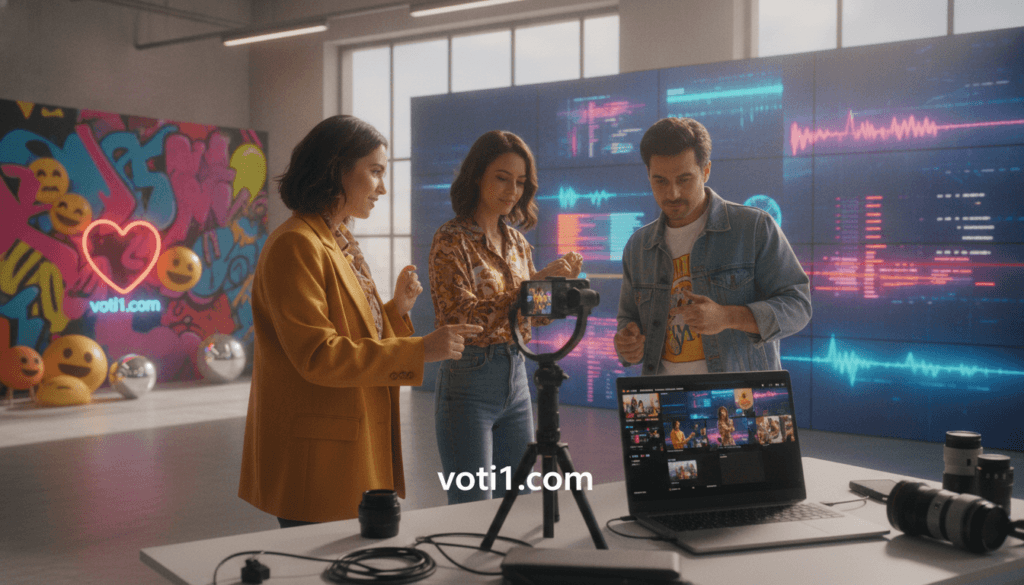
More than 157 million videos have already been generated on this platform. That scale shows why digital creators now offer a major opportunity for brands.
To create effective AI UGC TikTok videos, you combine lifelike avatars, natural scripts, vertical editing, and product-focused storytelling. This approach can replace costly filming while giving you more creative options for social marketing.
Traditional creator work may cost over $2,000 and take seven days. AI production can cost about $2 and take nearly two minutes. The platform also reports trust from more than 1,000,000 developers and leading companies.
You will learn how to choose an avatar, write dialogue, generate a video, localize content, test performance, and meet commercial publishing rules. Natural gestures and accurate product details still require care, especially for beginners.
Ready to move faster?
Key Takeaways
- Digital creators can lower production costs.
- Short-form storytelling supports stronger engagement.
- Avatar choice and dialogue shape viewer trust.
- Testing helps you find winning creative ideas.
- Accuracy and publishing rules protect your brand.
What Are AI UGC TikTok Videos?
AI UGC is user-style product storytelling created with artificial intelligence, rather than a human creator, camera crew, or filming session. You can turn a script, product page, or images into polished short-form content for social campaigns.
How AI Avatars Recreate Authentic Creator-Style Content
The library offers more than 1,100 avatars across industries, age groups, and styles. You can match an avatar to your audience, then adjust clothing, background, tone, and voiceover style. Digital actors use eye contact, gestures, conversational delivery, and accurate lip sync to feel more natural.
“Relatable presentation can make a product message feel more personal.”
Why AI UGC Videos Work for TikTok Marketing
Short testimonials and demonstrations fit fast-scrolling habits. A consistent voice helps your content support trust while you create variations for ads. The platform supports more than 175 languages and dialects, making localization easier for US and global campaigns.
The generator improves speed, but your script still needs clear product facts. Explore professional content creation support when you need help producing reliable UGC videos.
AI UGC TikTok Videos Can Boost Engagement and Conversions
People decide whether to keep watching in seconds, so your opening line must earn attention fast. Start with a clear problem, a surprising benefit, a common objection, or a visible result. These hooks give viewers a reason to stay.
A conversational script can then guide viewers from interest to product details, proof, objection handling, and a direct call to action. Keep the tone warm and specific. Templates with performance-focused hooks can also support stronger UGC ads.
Scroll-Stopping Hooks and Conversational Scripts
Use captions that match the spoken message. Show the benefit early, then explain how it works.
Testimonial, Product Demo, and Product-in-Hand Formats
Choose testimonials for trust, demos for clarity, unboxings for excitement, and before-and-after scenes for visible change. A product-in-hand presentation adds a natural shopping cue. Founder-style stories work well when brand purpose matters.
Vertical Video Ads Built for TikTok Viewing Habits
Build short videos in a vertical frame with quick cuts, mobile-first framing, and clear demonstrations. This approach helps your content fit modern marketing habits and gives ads a stronger path to action.
| Format | Best use | Viewer response |
|---|---|---|
| Testimonial | Build trust | Relatability |
| Demo | Explain value | Understanding |
| Unboxing | Create excitement | Curiosity |
Why Creating UGC-Style Videos Without Help Can Be Difficult
Fast tools make production look simple, but strong results still require judgment. If you are new to this process, small creative errors can weaken trust and waste your ad budget.
Choosing the Right Avatar, Voice, and Visual Style
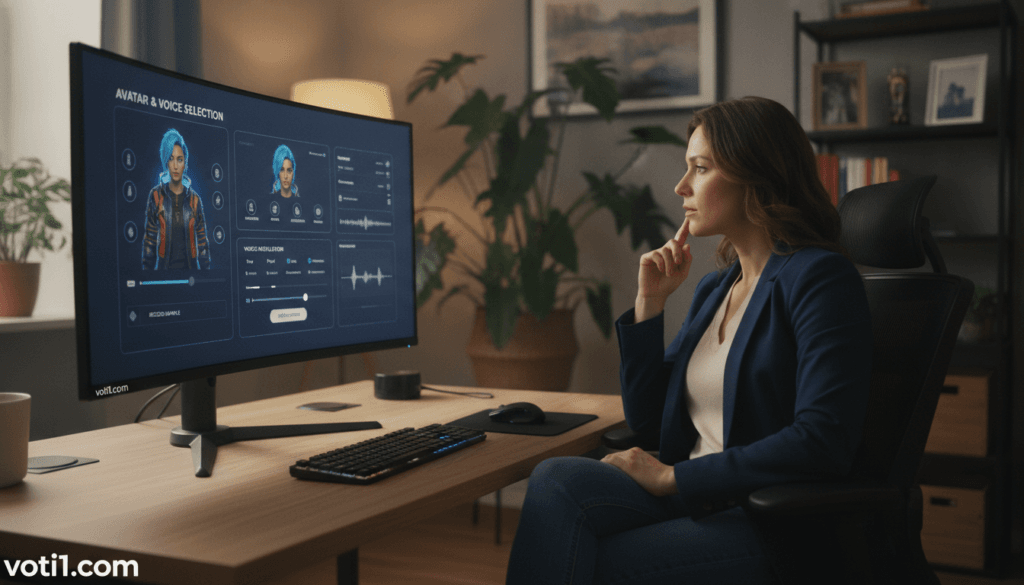
An unsuitable avatar, accent, voice, or style may feel disconnected from your audience. The product facts can remain accurate, yet the ads may seem forced. Good generator settings help you control skin texture, pores, blemishes, skin tone, and ethnicity. Natural gestures, eye contact, and synced lip movements also reduce a plastic look.
Traditional production can cost more than $2,000 per video and take seven days. Digital tools can remove cameras, filming, and on-screen actors, but speed does not replace human review.
Writing Natural Dialogue That Does Not Sound Artificial
Strong scripts sound like speech, not brochure text. Use varied sentence length, specific benefits, and believable reactions. Read each line aloud before turning it into content. This simple step can reveal stiff phrasing and unclear claims.
When you need reliable help creating natural UGC videos, avoid costly trial and error.
Choose an AI Creator, Avatar, and Campaign Style
Your audience should guide every on-screen choice. A casual influencer suits lifestyle products, while a professional expert fits complex services. A friendly educator can explain features with ease. Match the creator’s tone to customer needs and your brand personality.
Compare a library with more than 1,100 avatars against plans offering 500-plus or 1,000-plus realistic creators. Review the models before you choose a workflow. Consider age, appearance, industry experience, and presentation style. The right avatar can make your message feel more familiar.
Match AI Actors to Your Audience and Brand
Keep one creator persona across related campaigns. A steady voice, color palette, and setting improve recognition. This approach also helps your ads feel connected, even when you test different hooks or offers.
Customize Clothing, Backgrounds, Gestures, and Skin Texture
Adjust clothing, framing, lighting, and background to suit the product. Fine-tune gestures and facial expressions for a natural delivery. Skin tone, pores, blemishes, and ethnicity controls add detail. Use a product image or several images to check visual accuracy before publishing.
Want dependable execution? Use this link to save time and improve quality:
Write a TikTok UGC Script That Holds Attention
A clear message gives your short-form content a strong path from interest to action. Start with the viewer’s problem, then show why your solution matters.
Build a Strong Hook, Clear Value Proposition, and Call to Action
Use this simple flow: hook, problem, benefit, proof, objection, and one call to action. Keep spoken lines short. Write in first person, use natural contractions, and add specific details. These choices help a digital voice sound warm rather than formal.
Adapt Scripts for Product Ads, App Campaigns, and E-Commerce
For product ads, lead with a benefit and show a quick demonstration. App campaigns should follow the user journey from download to result. E-commerce scripts should answer shipping, fit, price, or return concerns.
Upload a reference video to study pacing and structure. Use its rhythm for inspiration, but do not copy protected branding, claims, or distinctive creative style. A generator can also use text, a product image, a URL, or custom workflows on advanced plans. If you need help to make UGC content, use this link.
| Campaign type | Script focus | Best proof |
|---|---|---|
| Product | Benefit and demo | Visible result |
| App | User journey | Screen action |
| E-commerce | Purchase confidence | Reviews or policy |
Generate Your AI UGC Video From Text, Images, or a Product Link
You can turn a product page, written idea, image, or reference clip into social content without planning a traditional shoot. This flexible workflow helps creators test fresh ads while keeping production simple.
Use a Product URL, Image, or Reference Video as Creative Input
Start by adding a product URL, image, text prompt, script, or reference video. The generator gathers key details, then helps you choose an avatar, assign the script, select a voice and language, and render each scene. Review the first draft for accurate features, claims, and tone.
You can create up to 10 versions at once, which makes creative testing faster. HD, 2K, and 4K export options also support different campaign needs.
Create Multilingual Videos With Natural Voiceovers and Lip Sync
Reach customers across 175-plus languages and dialects with translated voiceovers. Natural speech, preserved speaker traits, and synced lip movements help each version feel consistent. More than 22 million translated videos show the scale of this capability.
Some tools claim generation in about two minutes, but review still matters. If you want help to make UGC content, use this link for fast, reliable TikTok UGC video generation.
Edit and Customize Your TikTok UGC Video Before Publishing
Before you schedule a campaign, give each draft a careful quality check. Small edits can improve clarity, trust, and results.
Add Captions, Music, B-Roll, and Branded Visuals
Use the editor to add captions, music, B-roll, text, and clean trims. Captions help people follow your message with sound off. Music can set the mood, while product shots and branded graphics make the content feel complete.
Keep the soundtrack licensed for commercial use. Check that colors, logos, fonts, and images match your brand. Strong creatives should support the message, not distract from it.
Review Timing, Product Accuracy, and Commercial Usage Rights
Review every name, feature, price, URL, visual detail, claim, and caption. Check the final editor timeline for pauses, cuts, and readable text. Export in HD, 2K, or 4K when the campaign requires it.
Confirm avatar permissions, platform rules, music licenses, and credit dates. A free plan may allow two videos each month, add a watermark, and limit use to personal projects. A Creator plan costs $9.50 monthly or $114 yearly and includes commercial rights. Unused credits may expire monthly.
| Check | What to confirm | Why it matters |
|---|---|---|
| Export | HD, 2K, or 4K | Clear playback |
| Rights | Music, avatar, and plan terms | Safe publishing |
| Accuracy | Claims, prices, and URLs | Customer trust |
Scale TikTok Ads With AI Video Variations
Creative scale becomes easier when you build a clear testing system. Instead of repeating one concept, you can create focused versions for each audience, offer, and funnel stage. This approach helps your campaigns learn faster while reducing routine work.
Produce Multiple Hooks, Avatars, Voices, and Creative Angles
Change the hook, opening shot, voice, avatar, benefit, objection, offer, or call to action without booking actors or rebuilding a set. Organize each version by audience segment, product angle, creator persona, and performance idea. This keeps your content purposeful instead of random.
“More variations create more chances to find a message that connects.”
Use Batch Generation and Workflow Automation to Save Time
A generator can produce up to 10 video and image versions at once. Selected plans offer 500, 1,000, or 2,000 monthly credits. A Scale plan supports up to 400 videos each month and 100 parallel generations. That capacity can turn hours of manual work into minutes, while brand rules and product details stay consistent.
Busy teams can outsource dependable execution here:
Use Proven UGC Ad Formats to Improve Campaign Performance
A winning ad rarely starts with guesswork. Proven creative patterns show you how strong hooks, scene length, product proof, and closing calls to action work together. You can study hundreds of high-performing examples by niche, style, and format, then adapt the lessons to your own brand.

Recreate Winning TikTok Structures and Pacing
Reference ads can reveal testimonial order, demonstration timing, caption flow, and visual rhythm. A reference-video workflow can analyze structure, pacing, and style before rebuilding the sequence with your product and chosen creator. Use the framework, not the exact wording. Your voice, offer, audience, and claims should remain original.
Test short openings, clear proof, and one focused action. This method helps you make UGC content that feels familiar while supporting conversion-focused marketing. You can also recreate strong TikTok and Instagram UGC ads with new models, scripts, and brand details.
Run A/B Tests Across Creatives, Audiences, and Offers
Change one variable at a time, such as the first frame, voice, creator, caption, offer, or audience. Track thumb-stop rate, watch time, completion rate, clicks, conversions, acquisition cost, and return on ad spend. Use the results to guide your next video generation, editor changes, and video ads.
Get Expert Help Creating High-Converting AI UGC Videos
Expert guidance can turn a rough idea into a polished campaign without adding pressure. You get support with audience research, avatar selection, product details, voice settings, scripts, editing, rights checks, and publishing preparation.
Get Assistance When You Are New to Video Production
Beginners can avoid common mistakes with a clear review process. Experts help match actors and creator styles to your audience, check claims, and prepare ads for mobile viewing. The platform serves more than 1,000,000 developers and supports over 175 languages and dialects.
Save Time When You Know the Process but Need Reliable Execution
Experienced teams can hand off repetitive filming, editing, localization, and production tasks. Traditional work may take seven days and cost over $2,000 per video. A generator can create drafts in minutes or seconds, while expert review protects quality. Some offers advertise a $1 introduction, with one plan renewing at $149.
Free your teams to focus on strategy, testing, and growth.
Conclusion
Strong short-form campaigns begin with a clear plan, not a crowded production schedule.
Choose a relevant avatar, write natural dialogue, lead with a sharp hook, and show the product accurately. Vertical editing and steady testing help you learn what earns attention.
More than 1,100 avatars, 175-plus languages, and automated AI tools make scalable videos easier to produce. Still, human review protects authenticity, factual claims, platform compliance, and commercial rights.
Lower filming time and cost create room for more creative tests. Experienced teams can use batch workflows and varied hooks without adding traditional production overhead.
For a smoother process, explore this Fliki AI Reels review for editing ideas and accessible storytelling tools.
When you need a polished UGC video or dependable UGC videos, expert support can help you move from draft to launch.
Take the next step today:
FAQ
What is an AI UGC TikTok video?
It is a creator-style video made with digital actors, natural voice, and branded visuals. You can use this format to promote products, apps, and online stores without traditional filming.
How do you choose the right avatar or creator style?
Match the avatar, voice, clothing, and setting to your audience. Consider your brand tone, customer age, product category, and preferred content style before you begin production.
What should your script include?
Start with a clear hook in the first few seconds. Then explain the product benefit, show how it works, answer a common concern, and end with a direct call to action.
Can you create a video from a product link or image?
Yes. You can provide a product URL, image, product images, reference clip, or text brief. The generator can use these inputs to shape the script, scenes, and visual direction.
Can you make content in different languages?
Many tools support multiple languages, voiceovers, and lip sync. Review each language version for pronunciation, tone, timing, and cultural fit before you publish.
What can you customize in the editor?
You can adjust captions, music, B-roll, backgrounds, gestures, colors, logos, and product placement. Save approved elements in your creative library so your teams can work faster.
How can you create more ad variations?
Test different hooks, actors, models, voices, offers, and campaign angles. Batch generation helps you produce several creative options in minutes instead of repeating the full process.
Which formats work well for product marketing?
Product demos, testimonials, unboxings, problem-and-solution clips, product-in-hand scenes, and short reviews are strong options. Choose a format that fits your offer and audience intent.
What should you check before publishing?
Confirm product details, captions, timing, voice quality, brand accuracy, and commercial usage rights. Check that the offer and link work on mobile devices before launching the campaign.
When should you use an AI video generator?
Use one when you need fast creative production, frequent testing, or content in several formats. Expert support can help when you need reliable execution, stronger scripts, or a larger campaign workflow.